How to connect Supabase to Payload CMS

🚀 Experienced Software Developer | Passionate Problem Solver | Creative Coder With over a decade of dedicated experience in software development, I bring a wealth of expertise across various domains of frontend and backend website and application development. My journey in the tech world has been marked by a fervent passion for problem-solving, coding excellence, and innovative design. Key Skills: Languages: HTML5, CSS3, Javascript, PHP, C# Frameworks & Libraries: Vue.JS, Nuxt, Ionic Content Management System: Wordpress Game Development: Proficient in designing, programming, and publishing Unity games Beyond traditional development, I nurture a keen interest in game development. I have not only designed and programmed mini Unity games using C#, but I've also actively participated in online game jams to refine my techniques and elevate my programming skills. Being an integral part of a religious community, I've embraced a commitment to continuous personal and professional growth. In addition to my technical prowess, I have honed valuable soft skills through ongoing participation in seminars on communication, leadership, team collaboration, public speaking, accurate reading, and personality development. These skills equip me to work seamlessly as part of a team, take the lead, train others, and confidently operate independently when needed. Join me on this exciting journey as I share insights, tips, and experiences from the dynamic world of software development and game design. Let's explore the endless possibilities of code and creativity together!
The release of Payload 2.0 has brought about some exciting changes, including the addition of support for the Postgres Database. This enhanced feature expands the platform's capabilities, allowing for a more diverse range of functions and operations. Now, you have the freedom and flexibility to use a backend like Supabase.
This is a significant improvement, as it allows for more robust and versatile solutions, catering to a wider range of backend development needs and facilitating a smoother, more efficient workflow. In this tutorial, I will show how to integrate Supabase into a Payload CMS project.
Prerequisites
Familiar with Payload CMS
Familiar with Supabase
Create a Supabase Project
Start by going to the Supabase website at https://supabase.com. Once there, you'll need to create a new account. This process involves providing some basic information about yourself, including your name and email address.
Once you've filled out all the necessary fields, click the 'Sign Up' button to complete the process. By creating a Supabase account, you'll gain access to a variety of powerful tools and features that can help streamline your workflow and enhance your projects.
Create a new project

Navigate to Database in the side menu and copy the Postgress URI

In a separate file paste your URI and replace [YOUR-PASSWORD] with the password of the supabase database.
Now we have what we need to connect supabase to our Payload Application.
Create a Payload Application
Open the terminal and create a payload
npx create-payload-app@latest
Name your project and when prompted, paste the Postgres URI string from supabase
Once completed, cd into your project and open your payload app in Visual Studio Code:
cd project-name
code .
In Visual Studio Code open the terminal and run the command:
yarn dev
This will run the payload application locally on your machine. Once complete you can navigate to the localhost in the browser and create a user to login to the Payload CMS admin panel:
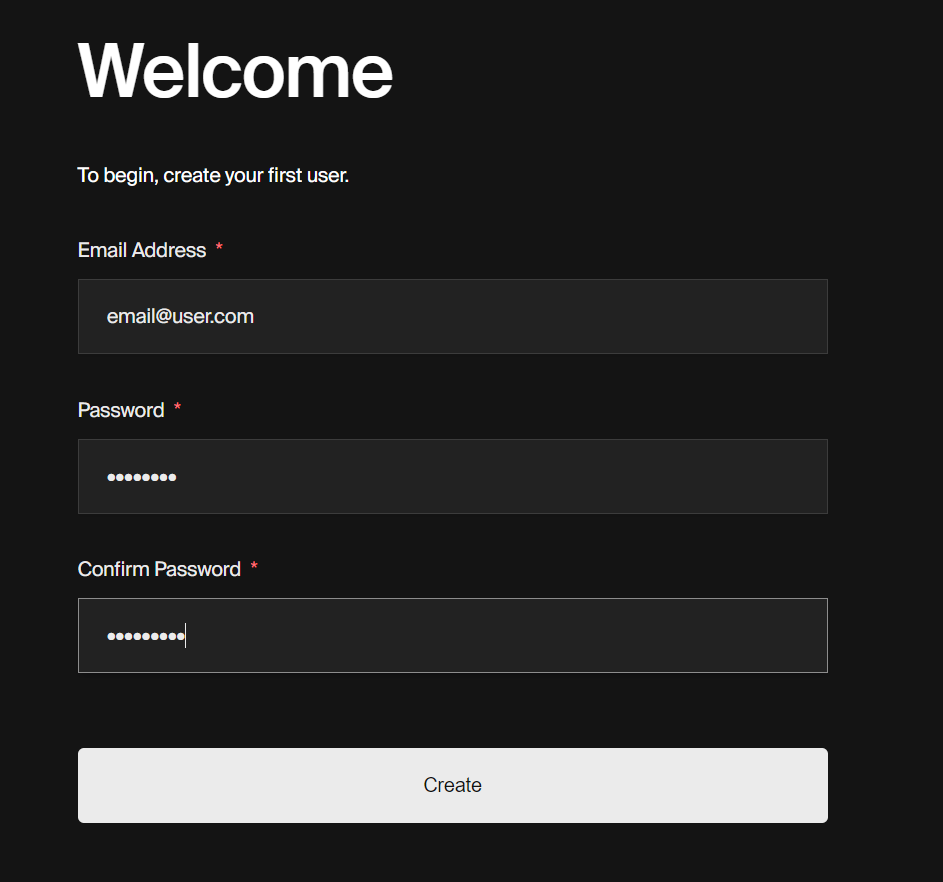
After you have successfully completed the process of creating a new user, you will be directed to the Admin Dashboard. This interface is designed to provide you with a comprehensive overview and easy access to all the necessary administrative functions.

If you navigate to your Supabase account and check your user management section, you'll be able to see the new user that you've just successfully created.

This verifies that the user creation process has been completed correctly, and the new account is now part of your user database.
Conclusion
Congratulations on your successful integration of Supabase with Payload CMS. This is a significant achievement that enables you to create comprehensive full-stack applications.
With this connection, you now have access to a robust backend that can handle a vast variety of tasks efficiently. At the same time, you also have a fully-featured Content Management System at your disposal.
This CMS can help manage your content effectively, providing you with a plethora of options for customization and control. Now, you can build and manage your applications with more efficiency, flexibility, and power.
Thank you for reading


